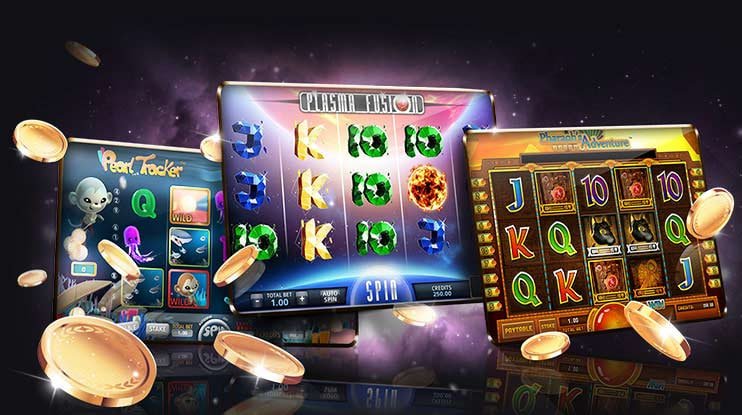
Brl77 App – Take the Casino and Betting with You, Anywhere in Brazil

Slots, sports betting, Live Casino, and Pix in the palm of your hand. The brl77 app was built for a fast-paced lifestyle: quick, practical, and hassle-free.

Why use the brl77 app?

These days, people playing online in Brazil are rarely sitting in front of a computer. Players bet during their work break, watch a football match on their phone while tracking live odds, and spin the slots while waiting in line. The phone has become the go-to entertainment hub — and the brl77 app was built exactly for that behavior.

The difference between using the site through a mobile browser and having the app installed is noticeable from the very first visit. Navigation is smoother, games load faster, and you don't have to type your login every time. The app keeps your session active, sends notifications when a new promotion goes live, and lets you deposit via Pix in under 30 seconds — no copying and pasting keys or switching to another app.

Brl77 offers a dedicated app for both Android and iOS, with interfaces optimized for each platform. This is not a mobile-adapted website — it is a purpose-built app, with a layout designed for small screens, right-sized buttons, and menus that make sense when you are using your thumb.

brl77
Available for Android and iOS

Choose your system version and install in just a few minutes.

Android

The brl77 Android app is distributed as an APK file directly from the website, since the Play Store has restrictions on betting apps. Installation takes less than two minutes and the process is straightforward: download the file, allow installation from external sources in your phone's settings, and you're done. Compatible with Android 7.0 or later.

Android 7.0+ Direct APK

IOS (iPhone)

On iPhone, the brl77 app can be installed via Progressive Web App (PWA) or through the App Store depending on regional availability. The PWA works like a native app: you add it to your home screen via Safari, and it opens without a browser bar, with its own icon and a full-screen experience. Compatible with iOS 13 or later.

iOS 13+ PWA / App Store

Web Version (Desktop)

Prefer playing on a computer? The brl77 website is fully responsive and works without installation on any modern browser — Chrome, Firefox, Edge, or Safari. Same account, same balance, same experience. Visit the address and start playing right away.

No installation required All browsers
brl77
How to install the app on Android

The process is straightforward. Any Android phone running version 7.0 or later can run the app without issues. Follow the steps below:

1
Access the site through your mobile browser

Open Chrome or any browser on your Android and go to brl77.vu. On the app page, click the Download button for Android.

2
Download the APK file

The APK file download starts automatically. Depending on your connection, it takes a few seconds. The file is saved in your phone's Downloads folder.

3
Allow installation from external sources

When you try to open the APK, Android will ask for permission to install apps from outside the Play Store. Accept — this is a standard Android security setting for third-party apps.

4
Install and open the app

Click "Install" on the confirmation screen. Within seconds, the brl77 icon appears on your phone's home screen. Tap to open it and log in or register.

5
Log in or create your account

If you already have an account, log in with your email and password. If you are new to brl77, registering through the app takes less than two minutes — you can then make your first deposit via Pix right away.

Always download the APK only from the official brl77 website. Do not install files from unknown sources to protect your device.
How to install the app on iPhone (iOS)

On iPhone, the most practical approach is to use the Progressive Web App (PWA). It works like a native app but without going through an app store. Here's how:

1
Open Safari on your iPhone

The PWA only works correctly when added through Safari — other browsers on iOS do not fully support this feature. Open Safari and go to brl77.vu.

2
Tap the share button

In Safari's bottom bar, tap the share icon — the square with an arrow pointing up. If you're using your iPhone in landscape mode, the icon is in the top right corner.

3
Select "Add to Home Screen"

In the menu that appears, scroll down until you find the "Add to Home Screen" option. Tap it. You can edit the shortcut name — keep it as "brl77" for easy access.

4
Confirm and you're done

Tap "Add" in the top right corner. The brl77 icon will appear on your iPhone's home screen. From that point on, it opens like a regular app — no address bar, no browser buttons, full screen.

The PWA saves your progress and keeps the session active just like any native app. For push notifications on iOS, make sure your iPhone is running iOS 16.4 or later.
brl77
What you'll find in the brl77 app

Full access to all areas of the platform, directly from your phone.

Full Game Lobby

All games available on brl77 are accessible through the app — slots, roulette, blackjack, bingo, crash, and much more. The lobby is the same as the desktop version, with category filters and quick search by name.

Live Sports Betting

Follow matches in real time and bet while the game is happening. Odds update automatically, and you can place a bet in seconds — no freezing, no loading errors.

Live Casino

Live table streaming works directly in the app, with video quality adapted to your connection speed. Real dealers, roulette, baccarat, and blackjack with real-time interaction.

Fast Deposit and Withdrawal

Deposit via Pix in under 30 seconds. The balance is credited instantly. For withdrawals, Pix processing is also the fastest — typically completed the same day.

Promotion Notifications

Never miss an offer. With push notifications enabled, the app alerts you when a new promotion goes live, when your cashback is credited, or when there are boosted odds on the day's games.

In-App Support

Brl77's support chat works directly through the app. If you have any questions about deposits, bonuses, or account verification, just open the chat and talk to the support team.

App technical requirements

Before downloading, check that your device meets the minimum requirements to ensure a smooth experience.

Requirement Android IOS (PWA)
Minimum system version Android 7.0 IOS 13.0
Storage space ~85 MB ~30 MB (PWA)
Recommended RAM 2 GB or more 2 GB or more
Recommended connection 4G / Wi-Fi 4G / Wi-Fi
Push notifications Yes IOS 16.4+
Landscape mode Yes Yes
Biometrics / Face ID Yes (native support) Yes (Face ID / Touch ID)
Integrated Pix Yes Yes

Specifications are subject to updates as new versions of the app are released.

brl77
An experience built for everyday Brazilian life

Brazil has one of the largest smartphone user bases in Latin America. Industry data shows that over 80% of access to online betting platforms in the country comes from mobile devices. brl77 took that number seriously when developing the app.

One of the most impactful day-to-day features is the Pix integration. In Brazil, Pix became the most widely used payment method in under two years — and the brl77 app makes the most of it. You open the app, go to deposit, scan the QR Code with your banking app, confirm with biometrics, and done: the balance appears in your account within seconds. No extra steps, no card number to type.

For sports betting fans, the app has a clear advantage: the live betting section. When you are watching a football match — whether at the stadium, a bar, or at home — you can follow the odds updating in real time and place bets without opening your laptop. The interface is designed so everything can be done with just one thumb, with no need to zoom in or scroll for minutes looking for the right market.

Slots in the app load at the same speed as the desktop version when you are on a stable 4G or Wi-Fi connection. Live Casino games — roulette, blackjack, baccarat — use adaptive video streaming: if your connection drops a little, the video quality automatically reduces to prevent freezing. This avoids the frustrating situation of losing a round because the game froze at the worst moment.

Another detail brl77 got right in the app is bonus management. You can see all your active bonuses, the rollover progress for each one, and the expiration date on a single screen. No need to navigate through multiple pages or contact support to find out how much is left before your bonus balance is released. That transparency matters — and makes a real difference when deciding which game to use your available bonus on.

The app's security is also worth noting. brl77 uses SSL encryption on all transactions, and login can be protected by biometrics — fingerprint or facial recognition, depending on your device. This means that even if someone gets hold of your phone, they won't be able to access your account without your biometrics or password.

Finally, it is worth highlighting updates. The brl77 app is updated frequently — new games are added to the lobby, performance adjustments are made, and new features arrive periodically. On Android, you receive an update notification when a new version is released. On iOS via PWA, updates are applied automatically when you open the app with an internet connection, with no action required on your part.

Responsible gaming: the brl77 app includes responsible gaming tools such as daily, weekly, and monthly deposit limits, as well as a temporary self-exclusion option. Use these tools if you feel you need a break. More information at Responsible Gaming. Intended for users aged 18 and over.

Frequently Asked Questions about the App

Direct answers to the most common questions.

Yes, downloading and installing the brl77 app is completely free, on both Android and iOS. You pay nothing to install the app — you just need a registered account on the platform to access the games and betting.

The Google Play Store has restrictions on online betting apps in some countries. For this reason, the brl77 Android app is distributed as an APK directly from the official website. This is the standard approach for most betting platforms in Brazil — the process is safe as long as the download is done exclusively from brl77.vu.

Yes. The brl77 account is a single account — you use the same login, password, balance, and betting history on both the app and the web version. There is no need to create a separate account for the app. Everything is synchronized in real time across devices.

It depends on what you're using. Slots and sports betting consume a reasonable amount of data — comparable to any social media app. Live Casino, with its video streaming, uses more. On a standard 4G connection, it works fine. If you're in an area with a weak signal, the app automatically adjusts video quality to prevent freezing.

In general, promotions are the same — brl77 does not separate offers by device. However, occasionally there are exclusive promotions for app users, such as a welcome bonus for those who make their first deposit through the app. In those cases, you'll receive a push notification if you have the app installed with notifications enabled.

When a new version is available, the app itself displays a notification on the home screen prompting you to update. Just tap the notification, which will redirect you to the new APK download page on the brl77 website. The process is the same as the initial installation — download the file and install it over the old version, without losing any account data.

Yes. The brl77 app supports biometric login — fingerprint on Android and Face ID or Touch ID on iPhone. Once set up for the first time, just touch the sensor or look at the camera to access your account. This speeds up login considerably and keeps your account secure even if someone else picks up your phone.

Download the brl77 app and start playing today

Create your account for free, deposit via Pix, and get access to slots, sports betting, and Live Casino directly from your phone.

Português (Brasil)